HubSpot chat vs GetFoxChat: the same three questions
We asked HubSpot's chat and ours the same three questions about finding things in the product, on 15 November 2026.
Tested on 15 November 2026. We opened hubspot.com in a desktop browser as a first-time visitor, declined the cookie banner, pressed the chat button and typed each question into HubBot, one fresh visit per question. We did not give it an email address. We opened getfoxchat.com and foxplug.com (both run the GetFoxChat AI Operator) in the same desktop browser, signed out, pressed the chat button and typed the questions. Nothing was signed in, so a guided walk through a signed-in screen could not be shown here.
The result in one table
| Question | HubSpot (HubBot, HubSpot's AI chat) | GetFoxChat |
|---|---|---|
| Where do I connect Stripe? Connect an integration | It replied that it was glad to help with connecting Stripe and asked for a work email so it could give answers specific to the business. No steps were shown before that, and we did not give an email. 4.6 s. Nothing on the page moved or lit up. | Told the visitor it is in the dashboard under Settings, then Notifications: paste a Slack incoming webhook, send a test alert, choose which hand-offs alert. It added that Slack alerts are on every plan. 5.5 s. The reply is text only: the dashboard needs a sign-in, so there was nothing to open or light up for a signed-out visitor. |
| Where are my billing settings? Find a settings screen | The same reply, naming billing settings, and the same request for a work email before any answer. 4.6 s. Nothing on the page moved or lit up. | Told the visitor to open Billing in the dashboard and use Manage billing to change plan or cancel, and explained how the free first month works, with a link to the pricing page. 3.9 s. Text only, for the same reason: the Billing screen is behind sign-in. |
| How do I install HubSpot on Shopify? Install on a store platform | The same reply again, naming the Shopify install, and the same request for a work email before any answer. 5.1 s. Nothing on the page moved or lit up. | Scrolled the page to the install guides links in the footer and lit them up, saying they are right here. It did not list the Shopify steps in the reply; the guides hold them. 1.8 s. Yes: the page scrolled to the install guides links and a glowing outline was drawn round them. |
What HubSpot does well
- It replied within about five seconds each time and named the topic back (Stripe, billing settings, Shopify), so the visitor can see it understood the question.
- To be fair: in two separate runs where we ignored the email request and kept typing in the same conversation, it answered the Shopify question with install steps (the Marketplace icon, the Shopify app, the store address). That is not part of the table above, which is the first-visit result.
- The chat window is easy to find and open on the home page.
Where the visitor is left to do the work
- On a first visit, all three questions got a request for a work email before any answer. Because we gave none, none of the three was answered in the table.
- A chat that asks for contact details first adds a step before the visitor learns where the setting is.
- Nothing on the page moved or lit up in any run.
Question by question, with screenshots
1. Connect an integration
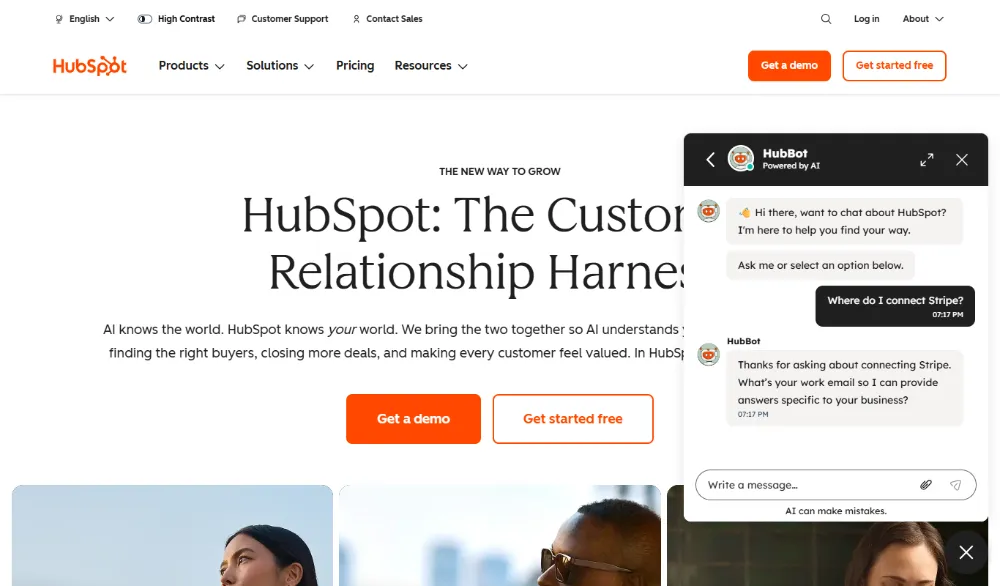
HubSpot was asked: “Where do I connect Stripe?”. It answered in 4.6 s: It replied that it was glad to help with connecting Stripe and asked for a work email so it could give answers specific to the business. No steps were shown before that, and we did not give an email. In its own words: “What’s your work email so I can provide answers specific to your business?”. Nothing on the page moved or lit up.
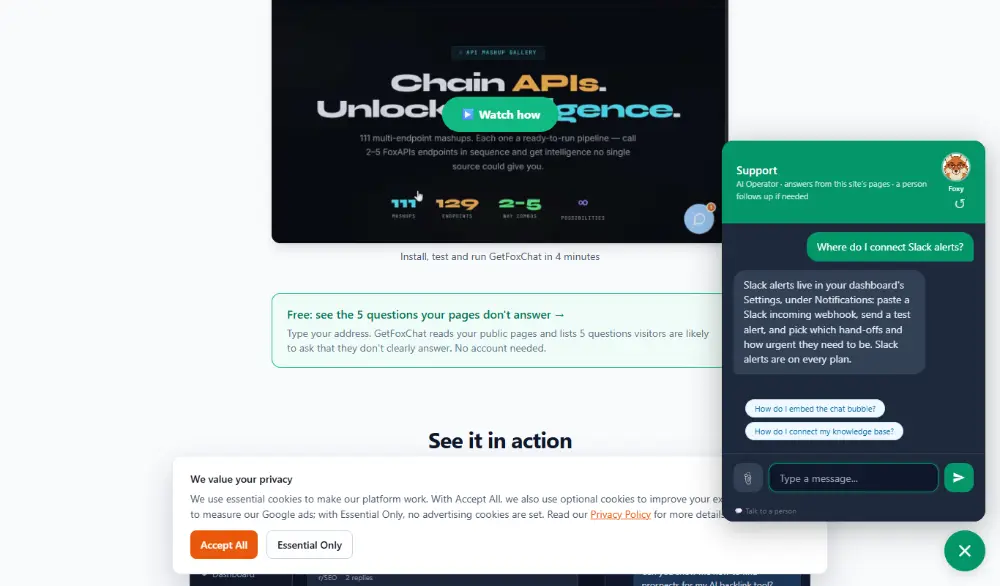
GetFoxChat was asked: “Where do I connect Slack alerts?”. Told the visitor it is in the dashboard under Settings, then Notifications: paste a Slack incoming webhook, send a test alert, choose which hand-offs alert. It added that Slack alerts are on every plan. The reply is text only: the dashboard needs a sign-in, so there was nothing to open or light up for a signed-out visitor.
2. Find a settings screen
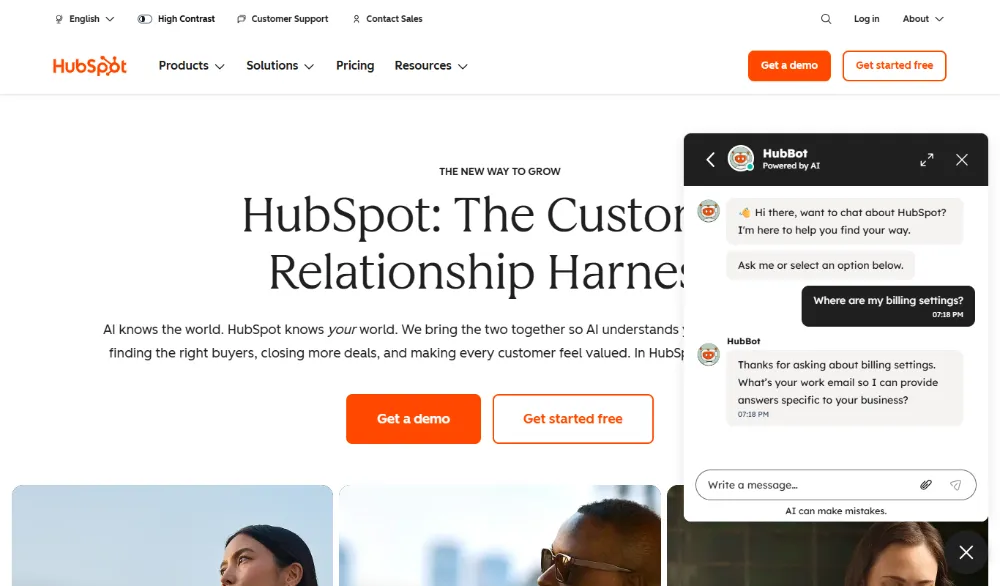
HubSpot was asked: “Where are my billing settings?”. It answered in 4.6 s: The same reply, naming billing settings, and the same request for a work email before any answer. In its own words: “What’s your work email so I can provide answers specific to your business?”. Nothing on the page moved or lit up.
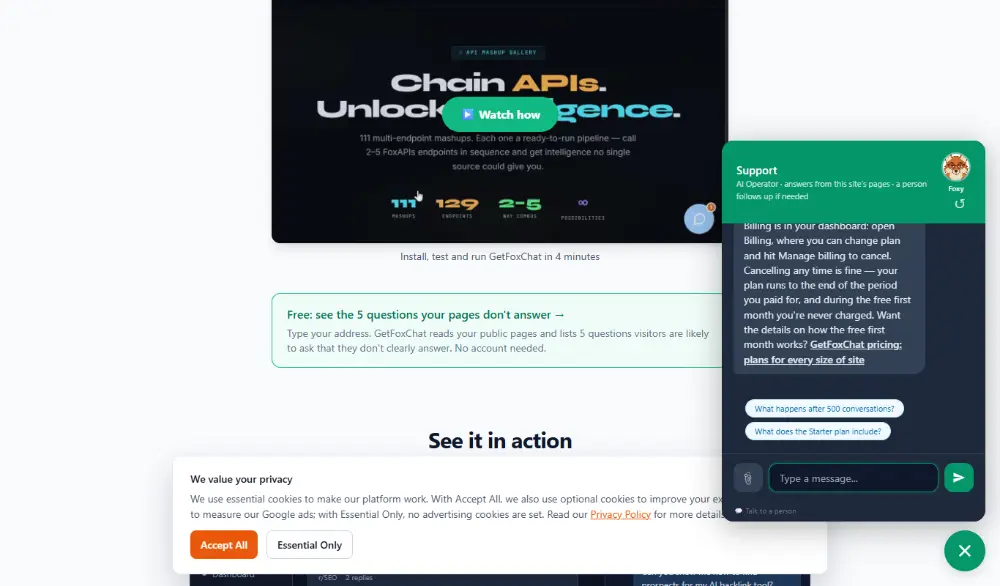
GetFoxChat was asked: “Where are my billing settings?”. Told the visitor to open Billing in the dashboard and use Manage billing to change plan or cancel, and explained how the free first month works, with a link to the pricing page. Text only, for the same reason: the Billing screen is behind sign-in.
3. Install on a store platform
HubSpot was asked: “How do I install HubSpot on Shopify?”. It answered in 5.1 s: The same reply again, naming the Shopify install, and the same request for a work email before any answer. In its own words: “What’s your work email so I can provide answers specific to your business?”. Nothing on the page moved or lit up.
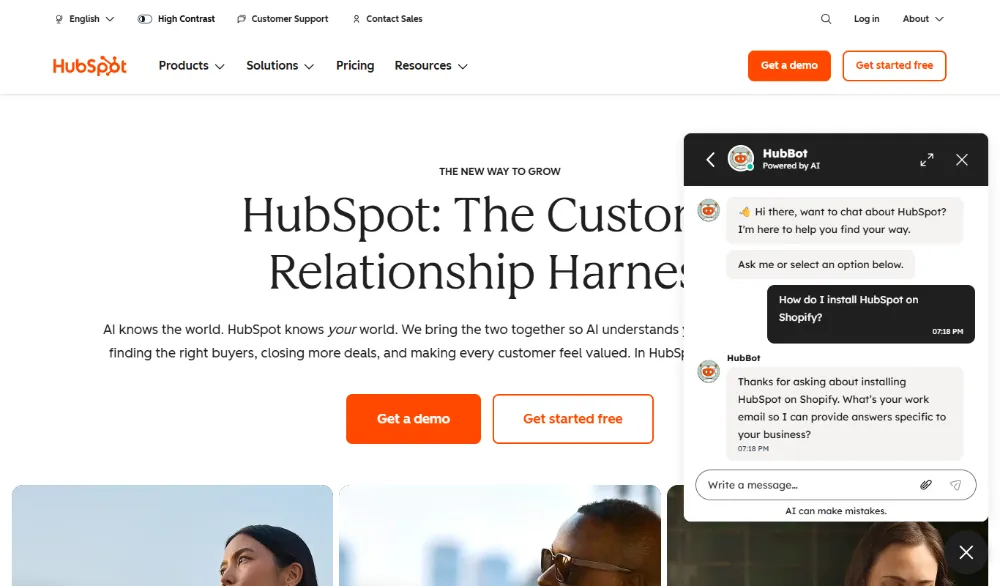
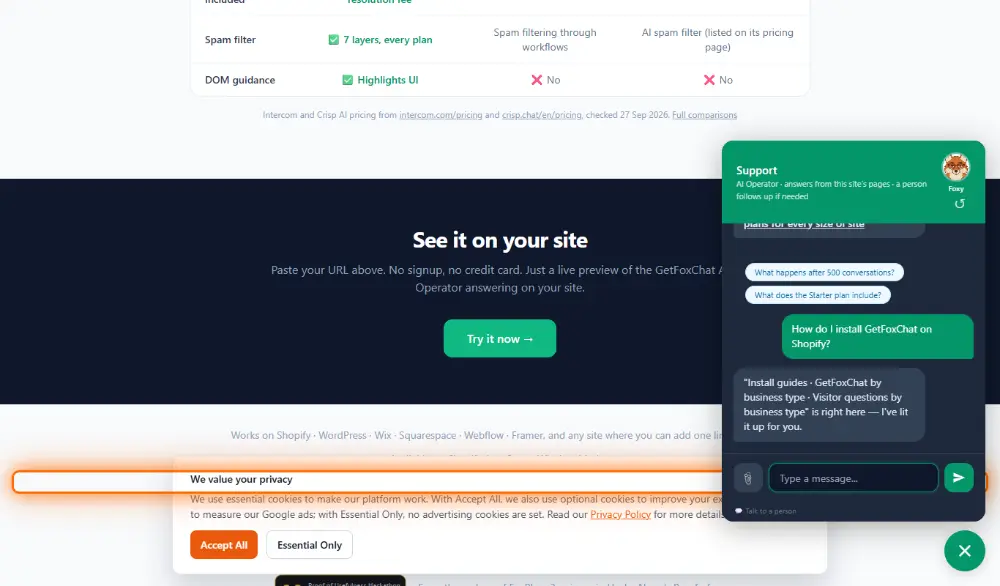
GetFoxChat was asked: “How do I install GetFoxChat on Shopify?”. Scrolled the page to the install guides links in the footer and lit them up, saying they are right here. It did not list the Shopify steps in the reply; the guides hold them. Yes: the page scrolled to the install guides links and a glowing outline was drawn round them.
The same kind of question on foxplug.com
foxplug.com also runs the GetFoxChat AI Operator. Same day, same browser, signed out.
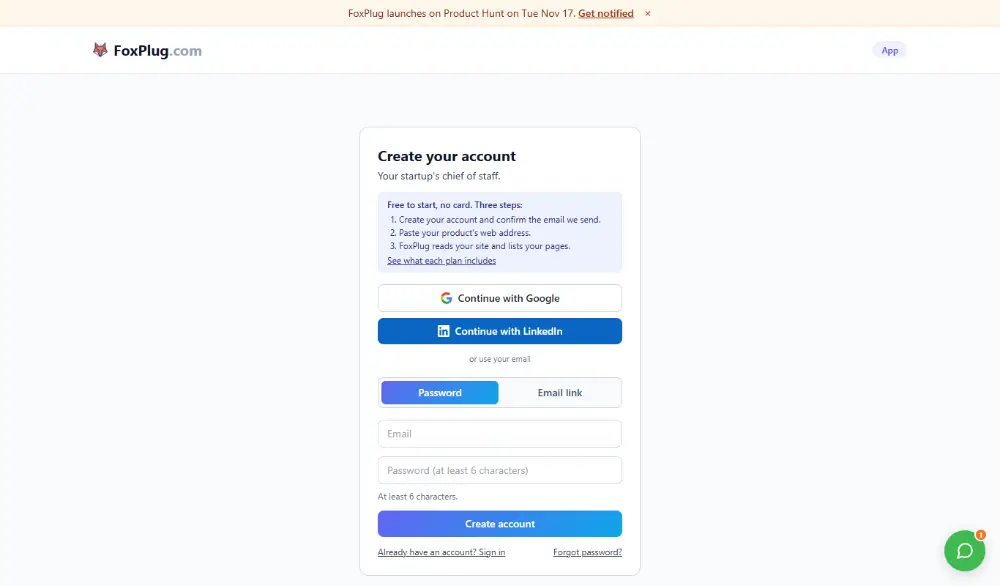
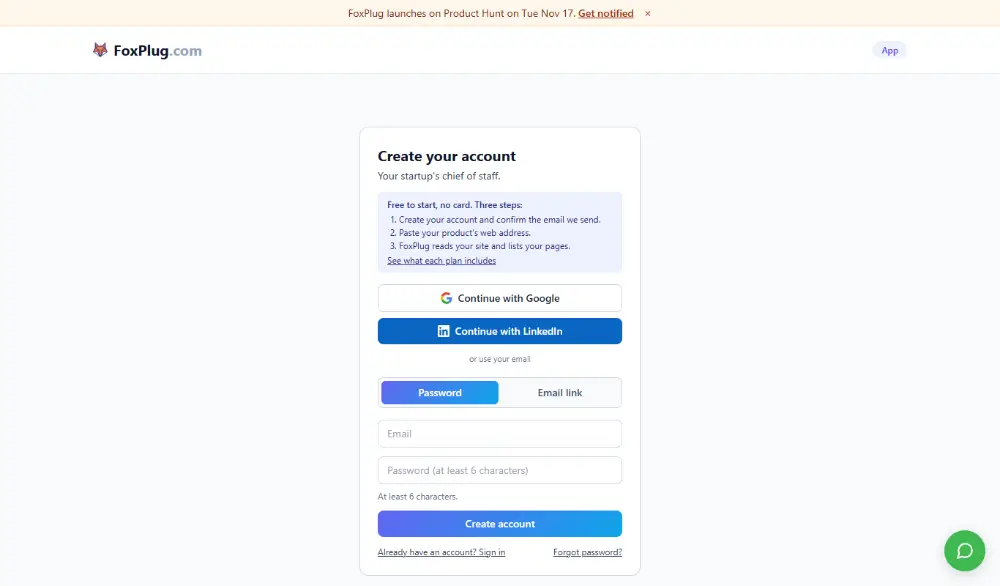
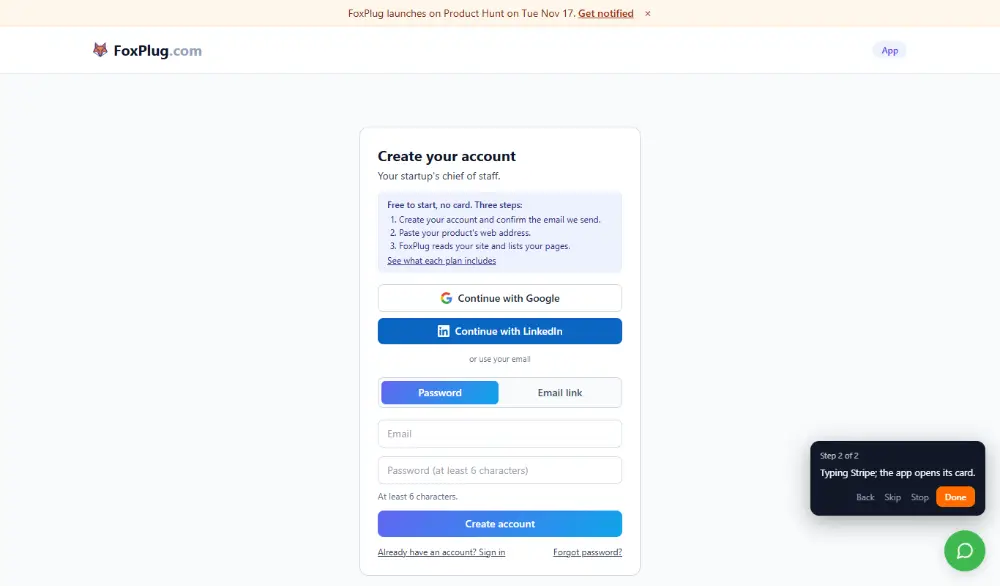
- Where do I connect Stripe? Offered a two-step guided walk, Connect Stripe, and took the visitor to the app's sign-up screen, because a signed-out visitor has to create an account first. It said the walk follows an orange highlight, can be stopped or skipped at any step, and that the visitor can ask questions on the way. (1.9 s. Yes: the browser was taken to the FoxPlug app. No highlight was visible in our signed-out run, so we do not claim one.)
- Where are my billing settings? Settings, then Account: the plan card, Manage subscription for card and invoices, and Cancel subscription. (4.2 s. Text only in our signed-out run.)
- How do I connect Shopify? Said plainly that Shopify is not one of the tools FoxPlug connects, and named the nearest ones for money data (Stripe or Paddle) and where they connect. (8.0 s. Text only.)
Questions about this test
Does HubSpot's chat take you to the setting you asked about?
In our test on 15 November 2026, no. HubSpot's chat answered in words and links; the page did not scroll or highlight anything in any of the three runs.
How long did HubSpot's chat take to answer?
4.6 s, 4.6 s, 5.1 s for the three questions, measured from sending to the finished reply.
Is this a fair test?
It is three questions, one conversation each, signed out, on one day. It shows what a first-time visitor saw, not every case. It replied within about five seconds each time and named the topic back (Stripe, billing settings, Shopify), so the visitor can see it understood the question.
Why can't I see GetFoxChat open a signed-in screen here?
We ran the test signed out, so a walk into the signed-in dashboard could not be shown. Where the page did move for a signed-out visitor, it is marked above.
GetFoxChat compared with HubSpot Intercom chat vs GetFoxChat Drift (Salesloft) chat vs GetFoxChat Other same-question tests
Find out what your visitors can't find
Type your website's address. GetFoxChat reads up to ten of your public pages and shows the GetFoxChat AI Operator answering three questions from them, with the page each answer came from. No account, nothing to install.
Like it? Press Put this on your site in the preview: you get a free account with the site already set up. Plans and what each includes: pricing.